
Welcome to the Natural Kaos App! If you’re new here, you’re in exactly the right place. This guide will walk you through how the app works, how to…
Welcome to the Natural Kaos App! If you’re new here, you’re in exactly the right place. This guide will walk you through how the app works, how to navigate it effectively, and how to get the most out of your membership.
Since launching in 2020, the Natural Kaos App has been a dynamic and constantly evolving community, with new content added daily. Think of it like Instagram—our members (you!) upload posts, photos, videos, and even go live. On top of that, we host weekly Lives with our Skin Squad team, who share in-depth routines, demos, and product insights.
Whether you’re joining from your phone or your computer, here’s everything you need to know.
Home Screen: Your Starting Point
When you open the app, you’ll land on the Home screen, indicated by the highlighted home icon at the bottom.
- The Home feed displays the most recent content in chronological order.
- You’ll see new posts, sales, and updates here—making it the most time-sensitive part of the app.
Navigation Tabs
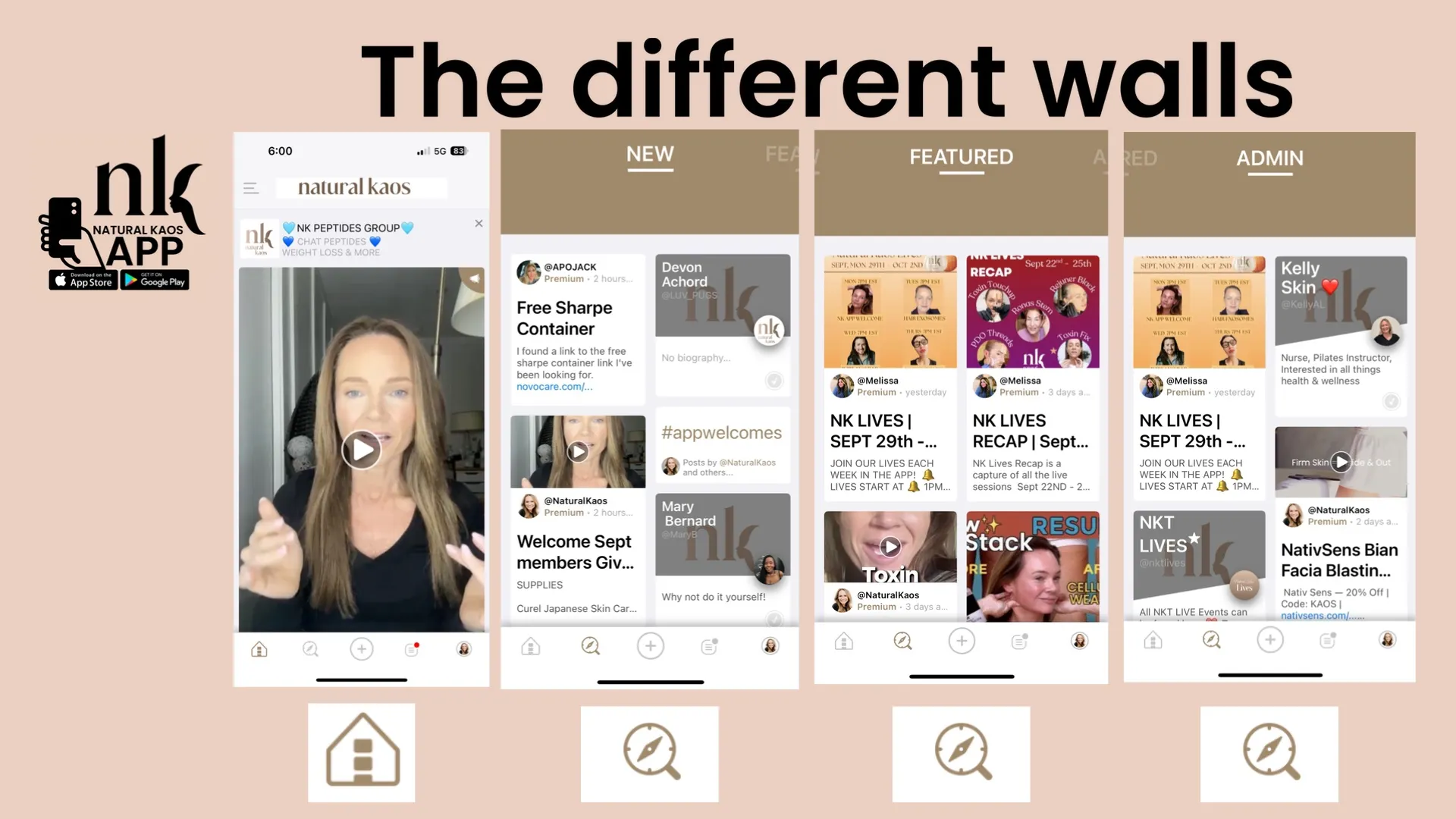
Along the bottom navigation bar, you’ll find several icons that guide your journey:
- Spyglass Icon (New Page): See everything posted by everyone, in chronological order. A great place to discover new friends and community content.
- Featured Page: Swipe left to find current sales, recent Lives, YouTube videos, and standout posts from members.
- Admin Page: Swipe left again to view all posts and Lives created by me (Kim) and the Skin Squad.
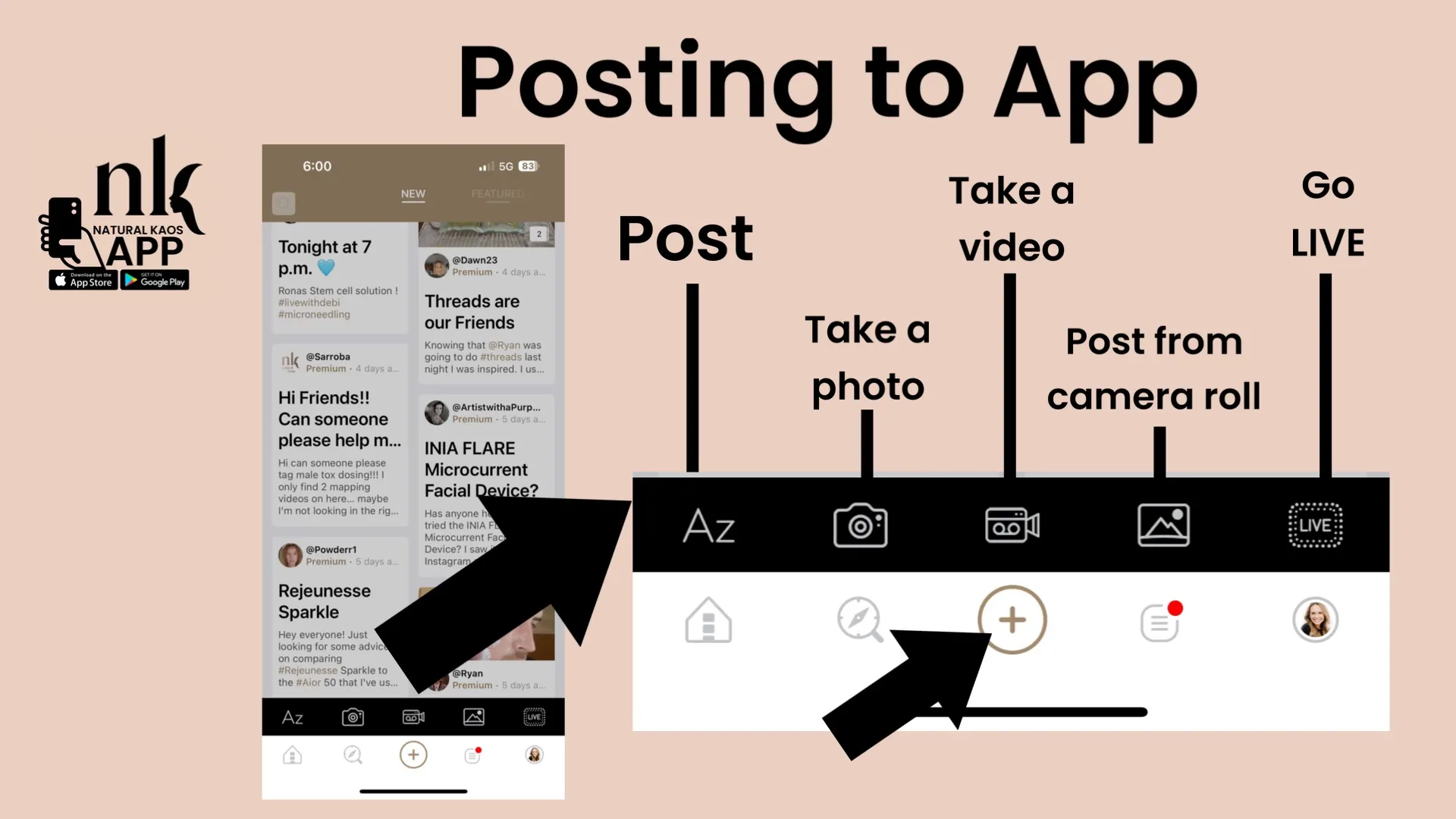
- + Icon: Create your own content! Write a post, share photos or videos, or go live. New members are encouraged to introduce themselves here. (Please follow our guidelines—no wine during procedures and no self-promotion.)
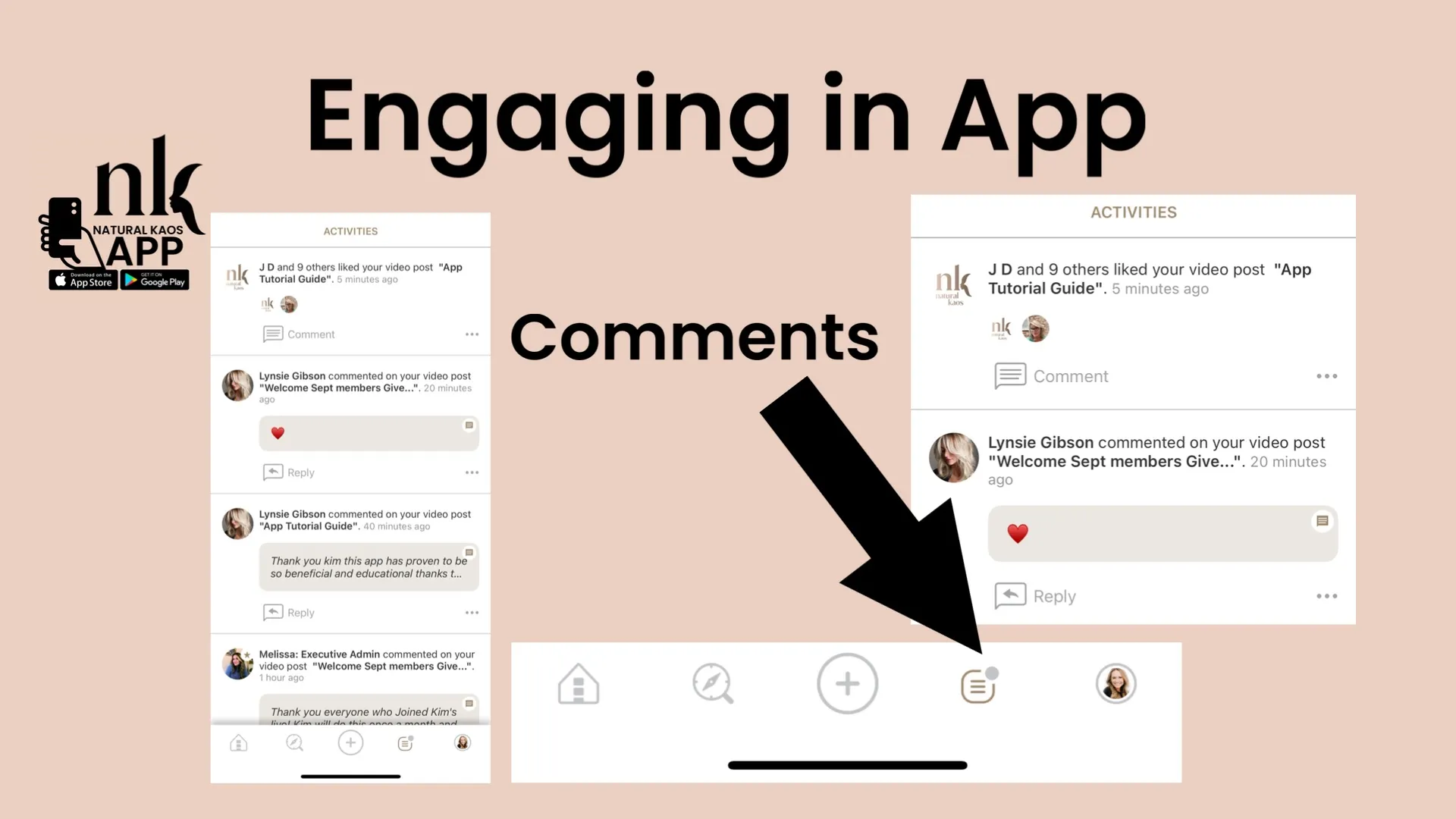
- Activity Icon: Quickly check who has commented or engaged with your posts.
Groups & Hashtags
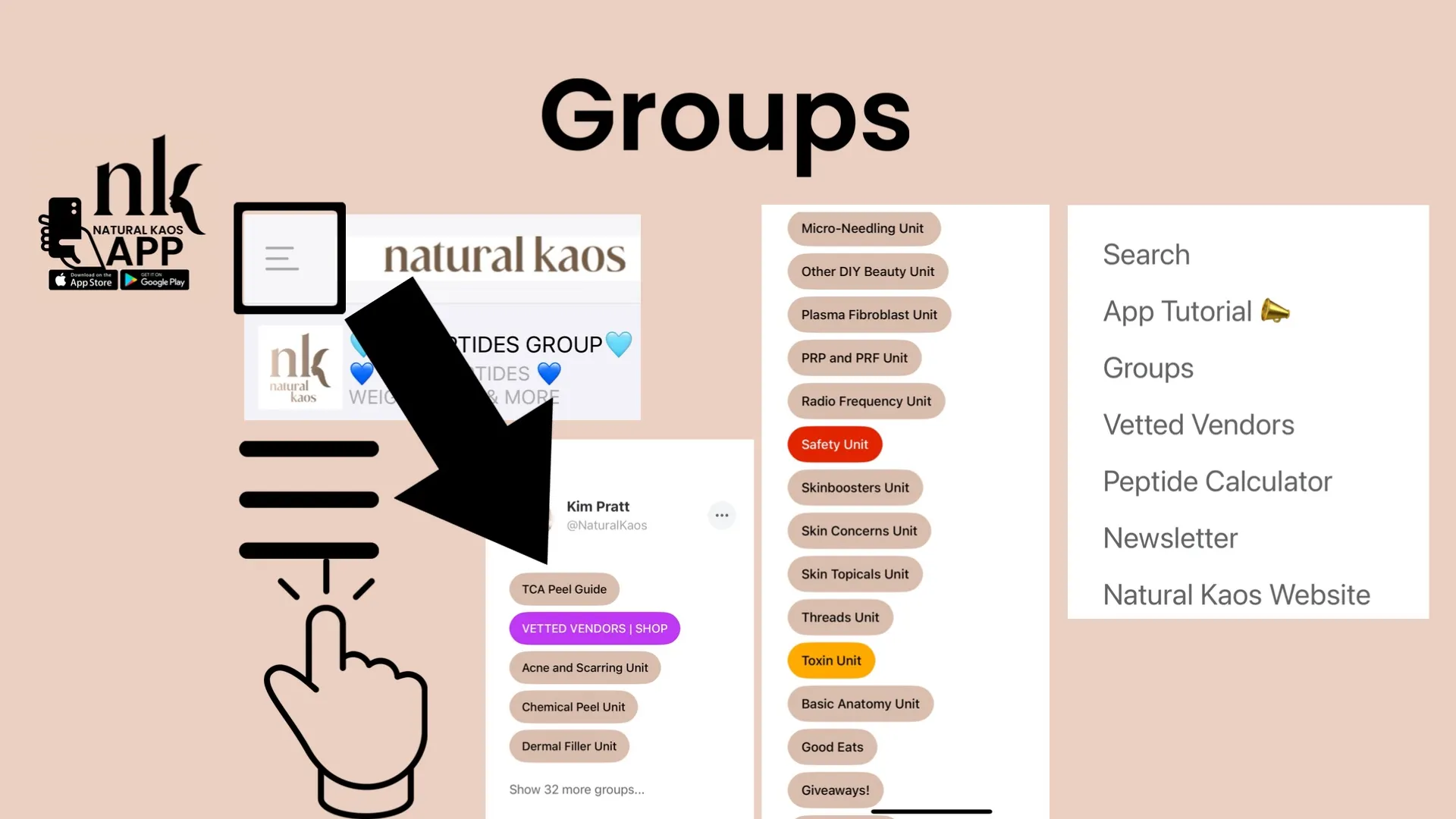
Tap the three horizontal lines in the upper left corner of the Home screen to open a powerful navigation menu:
- Groups: We currently have 32 groups, covering everything from TCA Peels to Dermal Filler Units. Each group is organized chronologically.
- Pinned Groups: For example, the Peptide group is pinned at the top for easy access to sourcing info, promo codes, and member experiences.
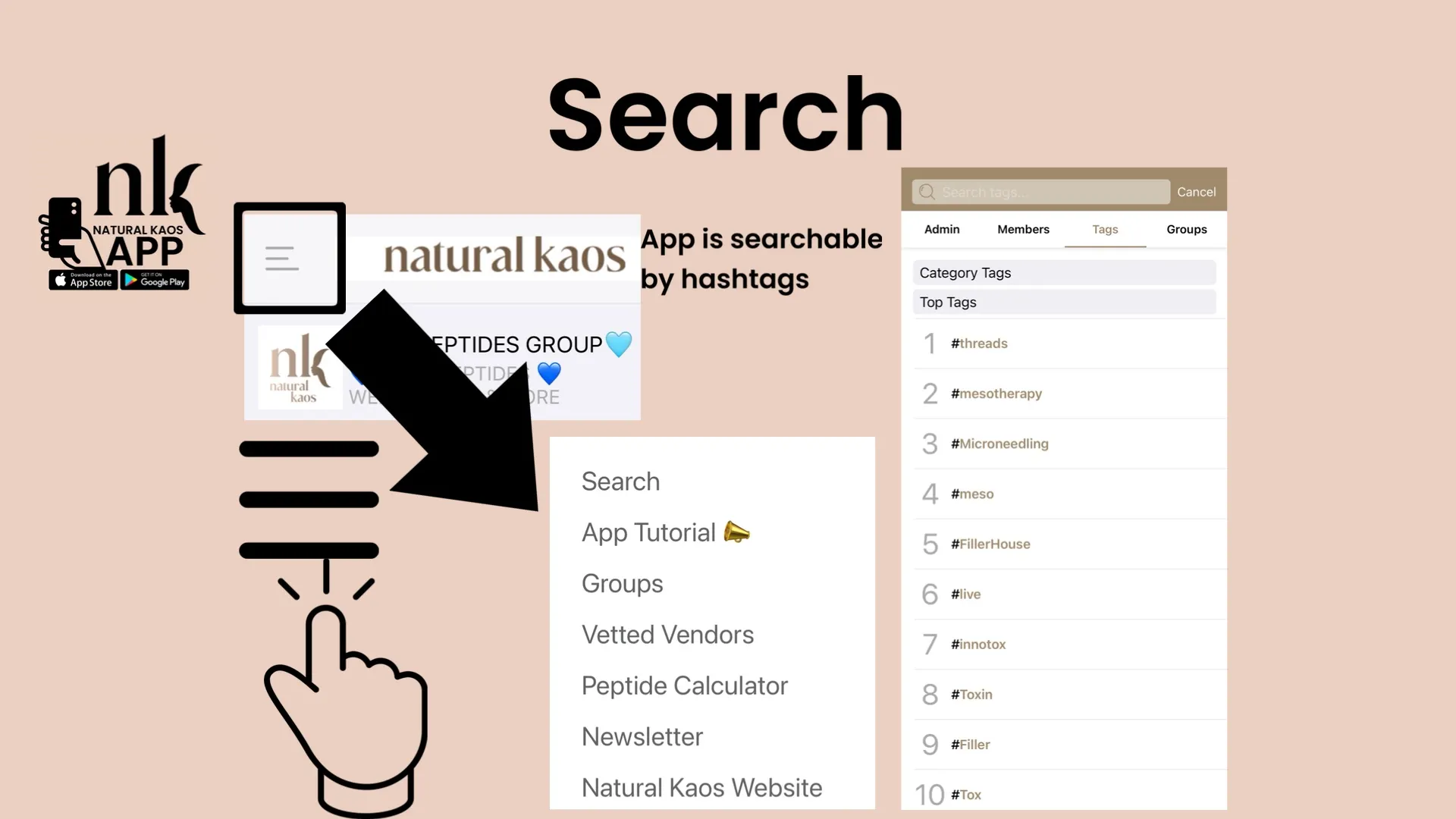
- Hashtags: Since groups are not yet searchable, hashtags are key! Always include relevant hashtags so your posts can be found.
- Example: #toxin + #innotox for toxin treatments
- Example: #meso + #hyaron + #skinboosters for mesotherapy treatments
Profiles & Content
Click on any profile circle to explore everything that member has shared, in order. On my profile, you’ll find:
- My Lives with product links included in captions
- Reels tied to YouTube videos and blog posts
- Resources like free Face Maps and Tox Layout Sheets (also available at NaturalKaos.com)
Tips for Watching Lives
- If a live stream loads black, simply close and reopen the app.
- Tap the screen to hide the chat if you want an unobstructed view.
- Chats are available only during the live broadcast and disappear on replays.
Safety First
Natural Kaos is a community for responsible adults. While you’ll find guidance on everything from toxin to filler, remember:
- Filler work is advanced and technical. Always have Hyaluronidase (LIPORASE) USE CODE: KAOS10) on hand in case of a vascular occlusion.
- CH filler cannot be dissolved and should only be attempted after extensive learning.
- Review the Safety Unit in groups before working with fillers or complex protocols.
Membership Support
For any membership questions, email membership@naturalkaos.com. This inbox is checked daily for quick responses. Please don’t DM me on social media about membership—it’s faster and more efficient through email.
Final Thoughts: A Community That Grows Together
The Natural Kaos App is more than just a platform—it’s a treasure trove of knowledge and a supportive community. Don’t be afraid to share your wins, your mistakes, and your journey. Here, there’s no shaming—only learning and growing together.
Welcome to Natural Kaos. I’m so glad you’re here!
📲 Download the Natural Kaos App today and experience skincare education like never before! SKIN & WELLNESS APP
Continue inside Natural Kaos
Explore complete treatment journeys, weekly Lives, searchable discussions, product sourcing, and the follow-up details that short-form platforms leave out.